


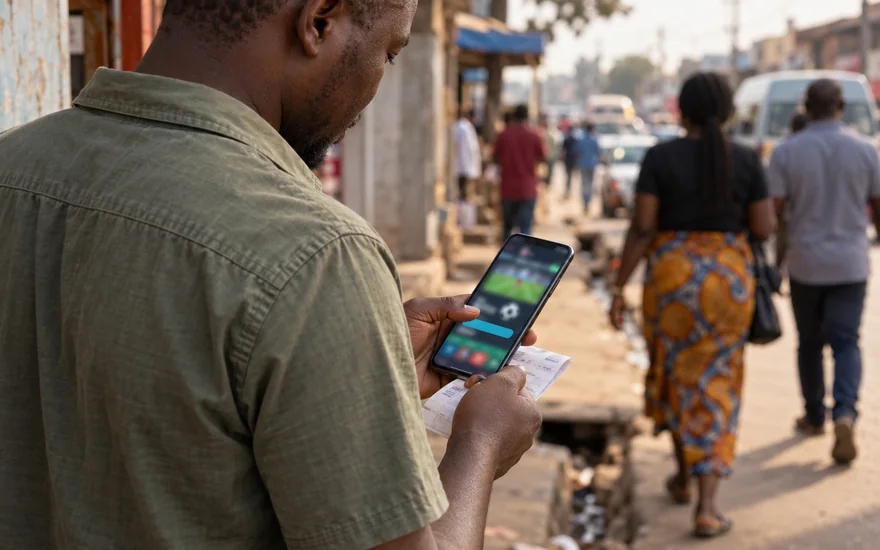
Contents — in this guide
- betPawa app: how should the source be checked first?
- Mobile browser or installation: which decision comes first?
- Android downloads: what should be identified before a file is saved?
- APK installation: how should device prompts be understood?
- iPhone access: what should an installation claim establish?
- Account preparation: what belongs to the existing customer record?
- Updates: how can a later release be assessed carefully?
- Permissions: which requests need an explanation tied to a task?
- Weak connections: how should an interrupted task be investigated?
- Booking codes and account controls: which functions need separate instructions?
- Cashier and verification: how should mobile records be kept useful?
- Troubleshooting: what should a useful mobile problem report contain?
- Questions about mobile access and downloads
betPawa app: how should the source be checked first?
Begin at a verified operator destination and inspect how it identifies its mobile option. A familiar name, similar colour scheme or prominent download button does not establish who distributes a file.
The official local information route is www.betpawa.co.zm/android-app, with a download entry linked separately. That observed relationship identifies the publisher's route without authenticating files copied onto unrelated download directories elsewhere.
The local homepage also contains an iOS listing link, whose destination content was not inspected. Neither public navigation nor a familiar store icon establishes installation success or account availability for your device.
Check whether a download destination still belongs to the route identified by the operator. Stop if it unexpectedly becomes a payment request, an unrelated messenger group or a page seeking private credentials.
Do not install a file merely because a search result calls it official or latest. The source needs to explain its relationship to the operator and the version being offered.
Use the operator review to understand the evidence behind this guide. Reading public mobile information is different from verifying installer integrity, account access or the behaviour of an installed application.
Mobile browser or installation: which decision comes first?
Identify whether the current verified website provides the function you need through a mobile browser. A browser route and an installed application can differ in distribution, permissions and update handling.
An installation can create another copy of saved account details on the device. Consider who can access the phone, how credentials are protected and what happens when the device is replaced.
A browser shortcut added to a home screen is not necessarily a separately installed native application. Inspect the instructions and avoid assuming that an icon proves any particular application architecture.
The available mobile options may differ between operating systems and regional destinations. Choose from the options actually published for your circumstances rather than assuming an Android instruction also applies to an iPhone.
Compare the full account task, including support and document access, rather than judging only a game screen. A convenient lobby does not establish how an unresolved account issue will be handled.
If neither route offers the necessary function clearly, ask verified support before changing account details or installing unfamiliar software. Keep the question focused on the missing task and your device.
| Mobile route | What to establish | What an icon alone cannot prove |
|---|---|---|
| Browser website | The verified destination and available account controls | That every regional account has identical features |
| Home-screen shortcut | Whether it opens the verified website or another route | That it is a separately verified native application |
| Android installer | The operator's distribution instructions and file identity | That a copied filename establishes authenticity |
| iPhone option | The currently published route for the relevant region | That an Android installation process applies |
| Existing installation | Its origin, version and account connection | That an old copy remains supported or current |
Android downloads: what should be identified before a file is saved?
Read the operator's current Android instructions before opening a download control. Establish whether the process uses a published store route or a directly distributed installer for the relevant destination.
Check the file type and the device handling the request. A button labelled download may open another information page, while an executable installation file requires a separate decision about device trust.
Record the source and any version information displayed by the verified distributor. Do not rely on an unrelated directory claiming a newer release without a clear explanation of its origin.
An existing file with a similar name in the downloads folder may belong to an older attempt. Identify the current file carefully before considering any installation or update request from the device.
Do not accept a request to install unrelated utilities, security bypass tools or remote-access software as part of obtaining an application. Such requests need investigation through a verified support channel first.
The Android information page publishes compatibility and size claims, but no binary was inspected. Treat those as operator statements rather than independently verified requirements, current package dimensions or tested device support.
APK installation: how should device prompts be understood?
An APK is an Android application package, not proof of a particular operator's involvement. Its filename, icon and placement in a directory do not establish who created the package itself.
Read each device prompt and identify which source is requesting permission to install. A setting that permits installation from a particular source should not be enabled without understanding that source.
Do not treat a security warning as a routine obstacle that must always be dismissed. Establish why the warning appeared and whether the source can resolve the concern before continuing.
If installation fails, preserve the exact device message rather than repeatedly trying unrelated copies. The error may concern compatibility, available storage, an existing package or a problem with the file.
Avoid installing several versions from different websites to see which opens. That approach introduces additional sources and makes it harder to identify which application or permission change caused a later problem.
Where instructions remain unclear, use the verified browser route if it is available and appropriate for the task. An uncertain installer should not become necessary merely because somebody promised a promotion.
iPhone access: what should an installation claim establish?
The local footer contains an iOS listing link, but this research did not open that listing. Country availability, current publisher metadata and a completed iPhone installation therefore remain untested here.
Distinguish a store listing, a browser shortcut and a request to change device management settings. Those routes create different relationships between the device, the distributor and the information being accessed.
Inspect the publisher identified by a store route before considering an application. A matching brand word in a title does not alone establish that the listing is distributed by the intended operator.
Do not assume instructions requesting a device profile are equivalent to ordinary browser access. Establish what the profile controls and who manages it before making changes to a personal phone.
If a mobile page offers only browser instructions for your circumstances, follow that distinction. An Android APK cannot be used as evidence that an equivalent iPhone installation is available or required.
Keep the device's displayed error and the source route when requesting help. Avoid sending an Apple account credential or recovery secret to a person offering installation assistance through an unrelated conversation.
Account preparation: what belongs to the existing customer record?
Before changing mobile access, establish the identifier for your existing account and confirm that its recovery contact remains controlled. An installation problem can otherwise expose an unrelated account recovery difficulty afterward.
The login guide explains returning access and credential recovery. A device change should not be handled by registering another customer account when an earlier account already belongs to you.
Review any automatically filled identifier before submitting credentials. A phone can retain information from another regional destination, a different person using the device or an old account access attempt.
If access produces a restriction or document request, preserve that message separately from installation notes. Account review and application compatibility concern different processes, even when they appear on the same screen.
The Zambia terms permit one account tied to a telephone number. Keep that existing record consistent during device troubleshooting rather than opening another registration to address an installation or access problem.
Consider whether downloaded statements or document photographs would enter a shared device folder. Keep account evidence private and avoid automatically backing sensitive material into a library used by other people.
| Before changing mobile access | Record to check | Reason for checking |
|---|---|---|
| Existing customer account | Identifier and controlled recovery contact | Returning access should refer to the same person |
| Current application | Origin and version information where available | A later change needs an identifiable starting point |
| Browser session | Whether credentials are known independently | Removing a session can expose a recovery problem |
| Device error | Exact wording and the action immediately before it | Installation and account errors need different investigation |
| Private documents | Storage location and who can access it | Account evidence should remain under the customer's control |
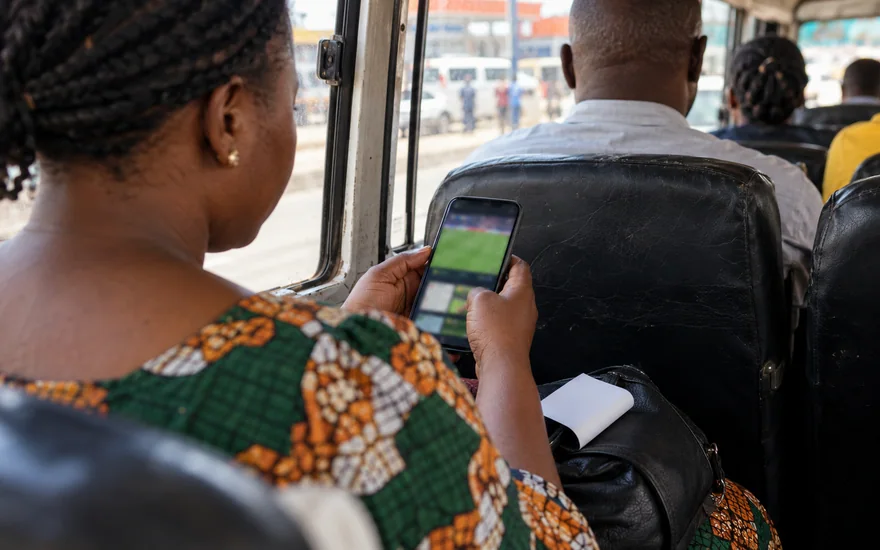
Updates: how can a later release be assessed carefully?
Return to the verified distributor's current instructions when an update is needed. A message on an unrelated page should not decide which package replaces an application already installed on your device.
Identify the existing version where the device or application displays it and compare the information supplied for the update. Preserve enough detail to explain which change preceded any later problem.
Read whether the update requires a new installation route or additional permissions. A familiar application name does not make every changed request appropriate for the task you intend to perform.
Before removing an existing installation, ensure that account recovery is understood and necessary records are stored privately. Uninstalling a local copy should not be assumed to delete the operator's customer account.
Keep transaction references outside a temporary application session when you need them for support. An update should not leave an unresolved payment case dependent on a screen you can no longer open.
If an update fails, avoid obtaining a replacement from a source that cannot establish its origin. Record the error and ask the verified support channel about the correct distribution process instead.
After a completed authorised update, review access and settings before any new payment decision. A successful opening screen does not by itself establish that the full account workflow functions as expected.
Permissions: which requests need an explanation tied to a task?
Read the permissions requested by the device and relate each one to the function you intend to use. A permission should have an understandable purpose rather than being accepted automatically.
For example, photographing a document and receiving a notification are different activities. If either function is offered, consider what access it needs and whether another approved route is available for the task.
Do not assume an installation needs access to every contact, image or message on the phone. Ask why a request appears when its connection to the intended account activity is unclear.
Review permissions through the device's normal controls when circumstances change. An old authorisation can remain relevant after a particular document task has ended or the device is shared with another person.
Avoid granting remote control to somebody who approached you as an unofficial helper. Explaining an error to support does not normally require exposing the entire phone or revealing other accounts stored there.
Preserve the wording of an unexpected permission request when seeking clarification, while removing private content from screenshots. Describe which action caused it so the question can be investigated in context.
The privacy page describes this publisher's separate information context. Operator applications, device permissions and the publisher's website should not be treated as one organisation handling the same customer record.
Weak connections: how should an interrupted task be investigated?
Establish whether the connection failed before a request was submitted or after the application displayed an acknowledgement. A missing screen does not reveal whether the remote system received the earlier action.
For an account change, check the current account record or confirmation message before repeating submission. For a payment, preserve the wallet and operator references before deciding whether another transaction is appropriate.
Avoid repeatedly pressing a payment control because the display appears slow. Investigate the existing request first so a connection issue does not become a confusing series of separate money movements.
If a game display disconnects, use its current rules and account history to investigate the affected round. A frozen animation does not allow this publisher to determine the round's settlement or result.
Keep the device time, timezone and last visible status when reporting an interruption. Those observations are more useful than a claim that the whole application failed without identifying the task involved.
Check whether normal pages and other services work before changing account credentials. A general connection problem should not automatically trigger a new registration, credential reset or download from another source.
Pause when the available records do not establish what happened. The next useful action is obtaining an explanation, rather than making another payment or trying to recreate an uncertain game result.
Booking codes and account controls: which functions need separate instructions?
Searches about loading a booking code concern a particular sportsbook function, not application installation. Find the relevant account or bet-slip instructions before assuming where a code should be entered.
A booking reference, promotional code and recovery code have different purposes. Keep them distinct and read the label beside a field so one type of identifier is not mistaken for another.
If a booking function is available, inspect the resulting selections and market details before any decision. Importing a reference should not be treated as proof that an event or price remains unchanged.
The public site exposes a Booking Code field and Load Betslip control, without a tested import. The sports article explains why retrieved selections still need their own review before acceptance.
Keep any completed bet reference private with the relevant account record when needed for support. A copied selection displayed before submission is different from evidence that an account transaction was actually accepted.
Do not share recovery codes in a group described as a booking or promotional service. Account access secrets remain private even when a conversation initially concerns an ordinary sportsbook reference.
If a control is missing, describe the function and account route to verified support. Installing another package cannot be assumed to enable a feature that depends on regional or account conditions.
Cashier and verification: how should mobile records be kept useful?
Public local pages name Zamtel, MTN and Airtel for funding and withdrawals, without a completed transaction test. Inspect the account's current method instructions before assuming specific fees, limits or payment completion.
The withdrawal guide separates an operator request from the later payment-network stage. Keep those records identifiable rather than relying only on the combined balance visible on a mobile home screen.
When a document is requested, photograph it through the approved process and review what information the image contains. Do not send a wallet PIN, credential or unnecessary document to demonstrate account ownership.
The verification guide explains matching identity and payment evidence. A small screen can hide a cropped corner or unreadable field, so inspect the complete image before any authorised upload.
If a file picker opens a shared photo library, identify the intended document carefully. Sending the wrong image can expose unrelated private information while failing to answer the actual verification request.
Keep a record of what was submitted and through which verified channel, without duplicating sensitive files unnecessarily. A submission acknowledgement identifies an action; it does not guarantee that evidence has been accepted.
Ask support for the specific reason when a record remains unclear. A precise document or transaction question is more useful than assuming every pending account stage is caused by the installed application.
Troubleshooting: what should a useful mobile problem report contain?
Identify the failed task before describing the problem. Installation, opening a page, logging in, receiving a message and reading a transaction status are different stages with different evidence available.
Record the device's operating system information and the application version if displayed. The guide does not prescribe a tested compatibility minimum, so the actual information is important when requesting help.
Keep the source route, error wording and action sequence together. A report that an application stopped immediately after a specific update is clearer than an undated claim that it never works.
Explain whether the same account task is available through the verified browser route, if you have checked it. That comparison can help describe the problem without claiming to diagnose its technical cause.
Remove secrets from screenshots and share only the evidence needed for the case. A support discussion should not expose unrelated messages, identity numbers or account balances from other services on the phone.
Use the customer support guide for the verified contact context and case checklist. This publisher cannot repair an installation remotely, authenticate a customer or promise how quickly an issue will be resolved.
If using the application makes it difficult to stop gambling, consider a break rather than another technical adjustment. The responsible gambling page explains support and account-control questions for adults.
| Reported problem | Evidence to preserve | Decision to avoid guessing |
|---|---|---|
| Installation rejected | The source and exact device message | Whether another package is genuinely appropriate |
| Account access failed | The verified route and complete access error | Whether recovery or account review is involved |
| Confirmation missing | The submitted action and last acknowledgement | Whether the same action was already received |
| Payment status unclear | Both wallet and operator references | Whether another payment should be considered |
| Document upload failed | The approved channel and file error | Which technical or evidence issue needs clarification |
What this guide does well
- Separates account tasks and payment records.
- Identifies evidence and unanswered conditions.
- Links directly to focused explanations.
Important limitations
- No account or transaction was tested.
- Supplied promotion and review inputs are unverified.
- Availability and conditions can change.
Questions about mobile access and downloads
Where should a betPawa app download start?
Start with the official Zambia Android information page or the app links on that host. No installer was downloaded or authenticated here, so the guide does not certify executable safety.
What did the Android information page establish?
It established a published local Android information route and linked download entry. Operator compatibility claims were not checked against an executable, signing certificate, current version or a tested device installation.
betPawa app download APK
An APK identifies an Android package format, not a verified distributor. Check the operator's published route and avoid unfamiliar replacement files when the original problem actually concerns account access or recovery.
Was the iOS application verified for Zambia?
A listing link appeared in the local footer, but its destination was not opened. Current store availability and installation were not checked, so a link alone cannot establish device compatibility.
How to download betPawa app?
Use the operator's verified mobile information page to identify its current distribution instructions. Read the source, device requirements and account context before deciding whether an installation is needed for your task.
How to install betPawa on iPhone
Follow only a currently verified iPhone route appropriate to the relevant region. Android APK instructions do not apply to iOS, and an unverified profile request needs explanation before device settings change.
Can a booking reference load a betslip?
The public interface contains a booking field and loading control, but no import was submitted. Review retrieved selections and current conditions instead of treating a reference as an already accepted wager.
How should an app withdrawal be checked?
Follow the current cashier instructions and preserve the request record. Local public information names mobile-money routes, but no transaction, account fee or payout deadline was tested through an installed application.
betPawa app Play Store
No Zambia Play Store listing was verified during this research. Establish the current distributor through the operator's own mobile information route rather than treating a similar application title as sufficient evidence.
Which host publishes the Zambia app information?
The local information page is on www.betpawa.co.zm, the host identified in the Zambia terms. Its download entry was observed only; no installer redirect or executable was opened during research.
Sources and evidence boundaries
- www.betpawa.co.zm/android-app — Local Android information page and operator compatibility claims, not verified binary metadata.
- www.betpawa.co.zm/ — Public app-entry hrefs and Booking Code / Load Betslip controls; no download or import submitted.
- www.betpawa.co.zm/terms — One telephone-linked account and account/payment requirements.
- www.betpawa.co.zm/help — Recovery, Statements and published support routes.
- www.betpawa.co.zm/deposit — Public local mobile-money deposit labels.
- www.betpawa.co.zm/aviator-crash-game — Local publication naming mobile-money withdrawal routes; no payment tested.
18+ · Supplied offer terms and editorial disclosure
Supplied display inputs, not a verified betPawa offer or independently collected reviews. Check current operator terms. 18+. Gambling can cause financial harm. No active promo code, wagering multiple, payout deadline or verified market ranking is supplied here. The local affiliate redirect is deliberately disabled until configured by the owner.
Editorial source check: . Generated images illustrate the subject, not real customer transactions.